
Tiki Taka Casino Login Guide for UK Users
For UK players, signing in to Tiki Taka Casino should be straightforward, but it is worth taking a moment to check the basics before entering your details. Use the casino’s official website, make sure your connection is secure, and confirm that the service is available to you under the terms shown on the site. This guide explains the usual login steps, what to do if access fails, and how to approach account security, bonuses and withdrawals without relying on assumptions about offers that may change.
How to log in to Tiki Taka Casino
Start by opening the official Tiki Taka Casino website in a browser. Avoid links from unsolicited messages, search advertisements you do not recognise, or social-media posts that could lead to imitation pages. Check the address carefully and look for a secure connection before entering personal information.
- Select the Log in or Sign in button, usually displayed near the top of the page.
- Enter the email address or username linked to your account.
- Type your password carefully, paying attention to capital letters and any saved autofill entry.
- Complete any additional security check the site requests.
- Once signed in, check that the account name and balance shown belong to you;
If you are using a shared device, do not save your password in the browser. Sign out when you finish and close the page. On a personal device, a reputable password manager can help you create and store a unique password rather than reusing one from email or other websites.
First-time access and account checks
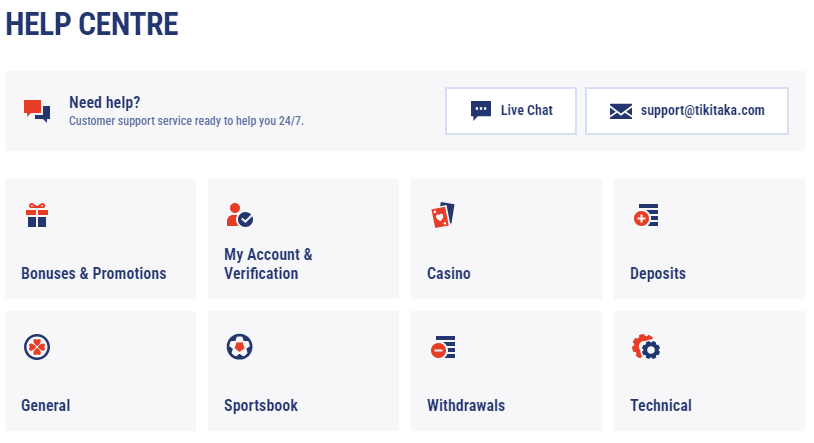
Logging in is only one part of using an online casino. New customers may need to register first and provide accurate details. The information requested can include a name, date of birth, address, email address and telephone number. Use your real details: inconsistencies can cause problems later when the operator checks identity or processes a withdrawal.
UK players should also verify that the casino is legally permitted to serve them. Check the operator and licensing information displayed on the website, and confirm it with the UK Gambling Commission’s public register where appropriate. Do not assume that a site is UK-licensed simply because it accepts a UK address or displays prices in pounds. If licensing or access terms are unclear, contact support before depositing.
Identity verification
Online gambling operators may need to verify a customer’s identity and age, either during registration or later. A request for documents is not necessarily a sign that something has gone wrong, but you should only submit them through the casino’s official, secure account area or a verified support channel. Never send passwords, one-time security codes or full payment-card details in response to an unsolicited email or message.
Prepare clear, current documents if requested, and follow the instructions about acceptable formats. If you have already submitted verification material, avoid repeatedly uploading it unless support asks you to do so. Keep a record of the date and any reference number supplied.
Forgotten password or a login error?
A failed login can have several ordinary causes: a mistyped email, an old password saved by your browser, a temporary service issue, or an account that needs an additional check. Try these steps in order:
- Check that the email address is the one used when registering.
- Enter the password manually rather than relying on autofill.
- Use the site’s Forgot password option and follow the reset link sent to your registered email.
- Check your spam or junk folder if the reset message does not arrive.
- Try a current browser, or clear the site’s cached data and reopen it.
- Contact support through a contact method listed on the official site if the problem continues.
Reset links can expire, so request a fresh one if the first no longer works. Be cautious if a message asks you to reveal your current password or provide a one-time code: legitimate support should not need your password. If you suspect that someone else has accessed the account, change the password from a secure device and tell the casino promptly.
Login security and responsible account use
Choose a long password that is not used on another service. Protect the email account connected to the casino as well, since password-reset messages may be sent there. If the casino offers additional account security, enable it and keep recovery details up to date. Do not share login credentials with friends or family, even if you trust them.
Consider setting deposit, loss or session limits before playing. These tools can help you keep gambling within a planned budget, but they are not a guarantee against harm. Never gamble with money needed for bills, borrow to continue playing, or treat a casino as a way to earn income. If gambling is causing stress or affecting your finances, use the operator’s self-exclusion tools and seek independent support. UK players can contact organisations such as GamCare for confidential help.
What to check after signing in
Before making a deposit or opening a game, review the account area. Confirm the currency, personal details and available balance. Read the cashier’s payment information, including minimum and maximum transaction amounts, processing times, fees and any restrictions. Payment methods and conditions can vary by account and may change, so rely on the current terms rather than an old review or forum post.
It is also sensible to check the casino’s rules on deposits and withdrawals before choosing a payment method. Some operators require withdrawals to be returned to the original funding method where possible. Verification may be required before a first withdrawal, and the processing time can depend on both the operator and the payment provider. If a transaction is delayed, contact support with the date, amount and transaction reference—never post sensitive account information publicly.
Promotions and birthday offers
Promotions can have conditions that matter as much as the headline amount. Before opting in, read the eligibility rules, wagering requirements, expiry date, game restrictions, maximum bet and any withdrawal cap. Check whether you must enter a code or activate the offer in your account. If you do not understand a condition, ask support to explain it before accepting the promotion.
Players sometimes ask, “do online casinos offer birthday promotions”. Some casinos may provide birthday rewards, while others do not; availability can depend on the operator, account status, location and current promotional terms. Do not assume that Tiki Taka Casino has a birthday offer unless one appears in its official promotions area or support confirms it. Never provide extra payment or identity information to an unofficial account claiming to arrange a birthday bonus.
Quick troubleshooting questions
Why can’t I access my account from the UK?
Access may be affected by location rules, account checks, a temporary outage or a connection issue. Check the site’s current terms and service notices. Do not use a VPN to bypass geographical restrictions; doing so could breach the casino’s rules or complicate account verification.
What should I do if the reset email does not arrive?
Confirm that you entered the registered email correctly, check spam and wait a short time. Then request another reset link. If there is still no message, contact support using details published on the official website.
Can I log in on a phone?
If the website supports mobile browsers, open it directly in a trusted browser and follow the same sign-in steps. Install an app only if the official casino site links to it and the publisher can be verified. Avoid unofficial downloads.
Should I keep trying after several failed attempts?
No. Repeated attempts may trigger a temporary security lock. Use the password-reset process or contact support rather than guessing. Keep any error message, but do not send your password or security codes to anyone.
Practical checklist for UK users
- Use the official website and verify its address before signing in.
- Keep a unique password private and secure the linked email account.
- Check licensing, eligibility and location terms before playing.
- Complete identity checks only through official, protected channels.
- Review payment, promotion and withdrawal conditions before committing funds.
- Set personal limits and take a break if gambling stops being enjoyable.
A smooth Tiki Taka Casino login starts with the correct website and accurate account details, but careful checks matter just as much. If you encounter an error, use the official recovery route and contact verified support. Before depositing, make sure you understand the operator’s UK availability, verification process, payment rules and promotion terms. These steps help protect your account and make it easier to decide whether the service is suitable for you.
